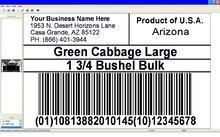
Our Case Label Printing System.
Your computer must include the following:
- IBM or Compatible PC including CD drive and Minimum 2 USB ports.
- Operating system runs under Windows 2000, Windows XP, Vista and Windows 7. 32 MB RAM or more.
- 25-50 MB of free disk space (depending on which components are installed) Microsoft Internet Explorer 5.0 (or higher).
- Many
Growers, Packers and Re-Packers require the ability to print case
labels themselves because they are packing many different products. Top 10 offers a practical and affordable case label printing system that is very simple to use. We
work with you from start to finish with the installation then provide
on going support after the sale. We set up and maintain your custom
developed database that holds information that includes the product item
descriptions, GTIN's and how the items are packed in cases. You
need not be concerned about printing the wrong information on your case
labels because the information for every item is secured in the
database. All you have to do is manually enter the assigned lot
number before printing the labels.
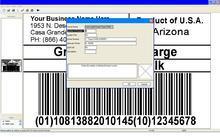
- The software is menu driven which makes our case label printing system easy to use. Its as simple as 123.
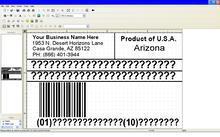
- Open the case label format
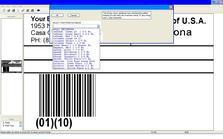
- Select the Item from the database menu and enter the lot number
- Enter the number of labels you want to print and you're printing case labels.
It's just that simple & you can also print SSCC Pallet labels just as easily!
Call Al at 1-866-401-3944 with questions.
Select Case Label Format
Select Item From Database
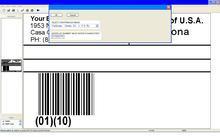
Enter Lot Number
Enter Number of Labels to Print
Printed Label is complete